
The releases of ShotPut Pro 2026.1 and ShotPut Studio 2.3 are here, bringing some of the most requested workflow enhancements across both applications. These updates focus on streamlining the camera to ShotPut to cloud process, reducing manual cleanup, and giving you more control over how media is organized and delivered from the moment it is offloaded.
Whatever type of production you are working on, these improvements are designed to make ingest, organization, verification, and handoff more standardized across a wide range of production workflows.
Quick Look at What’s New
✅ Preset Level File Filtering
✅ Automatically Add to Queue Customization
✅ Dynamic File Renaming
✅ Native Frame.io Integration (ShotPut Studio Exclusive)
✅ Batch MHL Sealing and Verification (ShotPut Studio Exclusive)
Fine-Tune Every Offload With More Powerful File Filtering
ShotPut has long offered global file filtering, but this release expands those controls to the preset level. This gives you precise control over what each preset copies, which is especially useful for complex productions, recurring workflows, or multi-camera setups.
You can now choose to either ignore files with specific extensions or only copy those files within any preset. This makes it easy to separate essential camera media from proxies, sidecar files, or camera generated extras without affecting other presets.
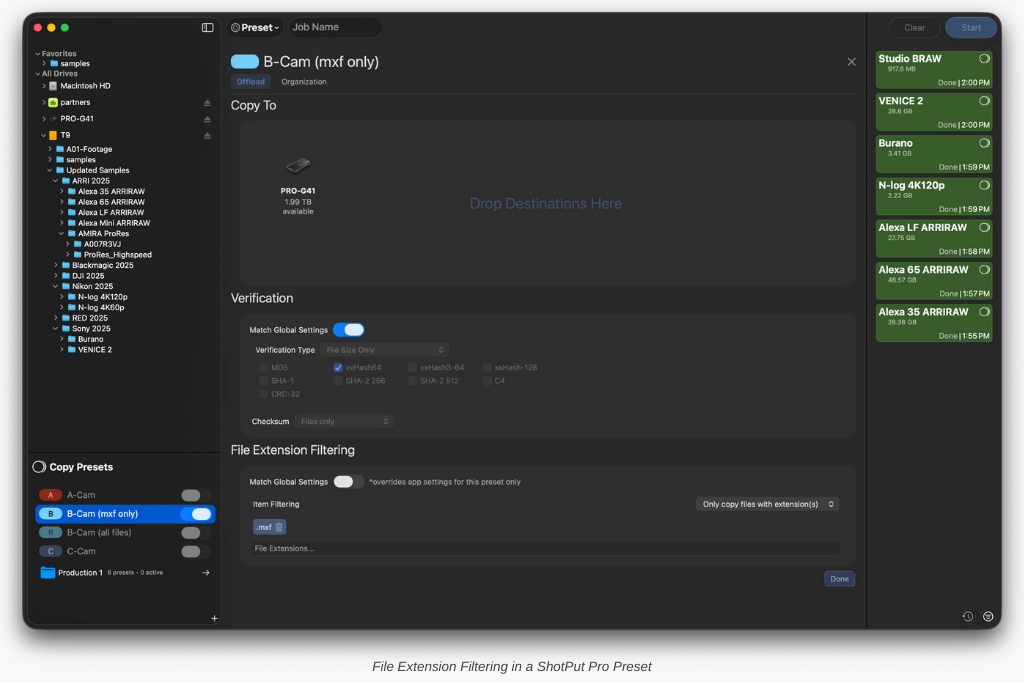
For example, if you only want MXF files from a specific camera preset, simply add .mxf to the list and everything else will be skipped.
More Control Over Automatically Adding Media to the Queue
Automatically adding cards to the queue is not new in ShotPut but until now, when the corresponding setting was enabled, everything was included by default. With this update, you have more control over which media enters the queue automatically.
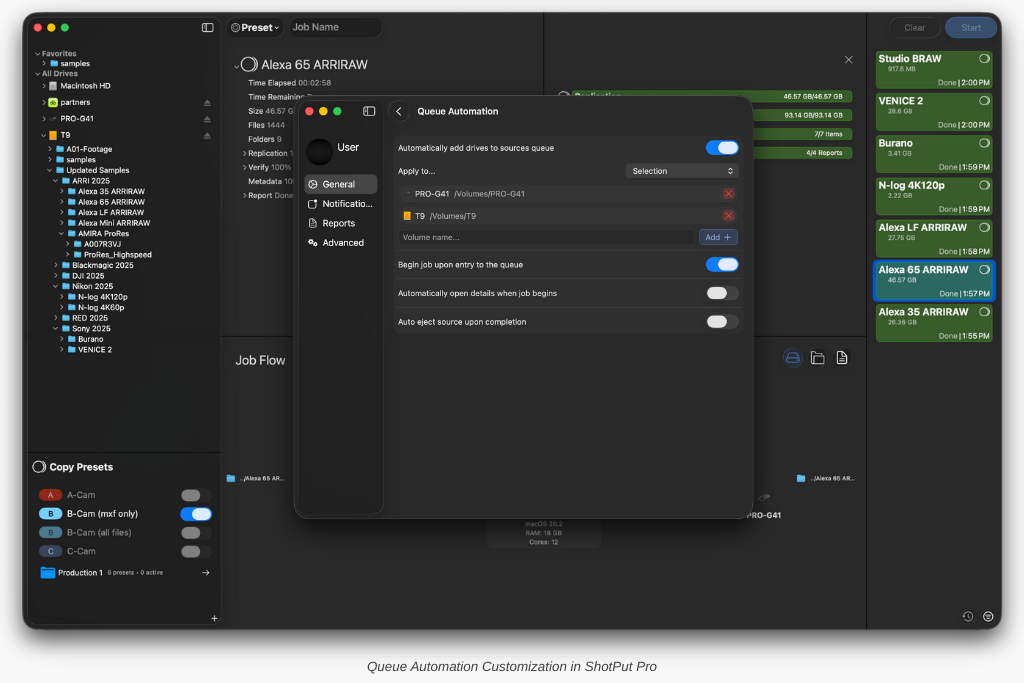
You can choose to add all newly detected removable media, limit automatic adds to a specific selection of drives or paths, or exclude specific media while allowing everything else through. This is useful if you consistently use one drive on set for reference footage or stills and want to ensure only camera cards are added to the queue.
These refinements make automated ingest more intentional and reduce the need to clean up jobs before they run.
Organize Media Correctly With Dynamic File Renaming
One of the most impactful additions in ShotPut Pro 2026.1 and ShotPut Studio 2.3 is the ability to dynamically rename files during offload using the same logic and tokens that already power custom folder structures.
Dynamic file renaming helps enforce naming standards, prepare content for editorial, and prevent inconsistent file names from slipping into downstream workflows.
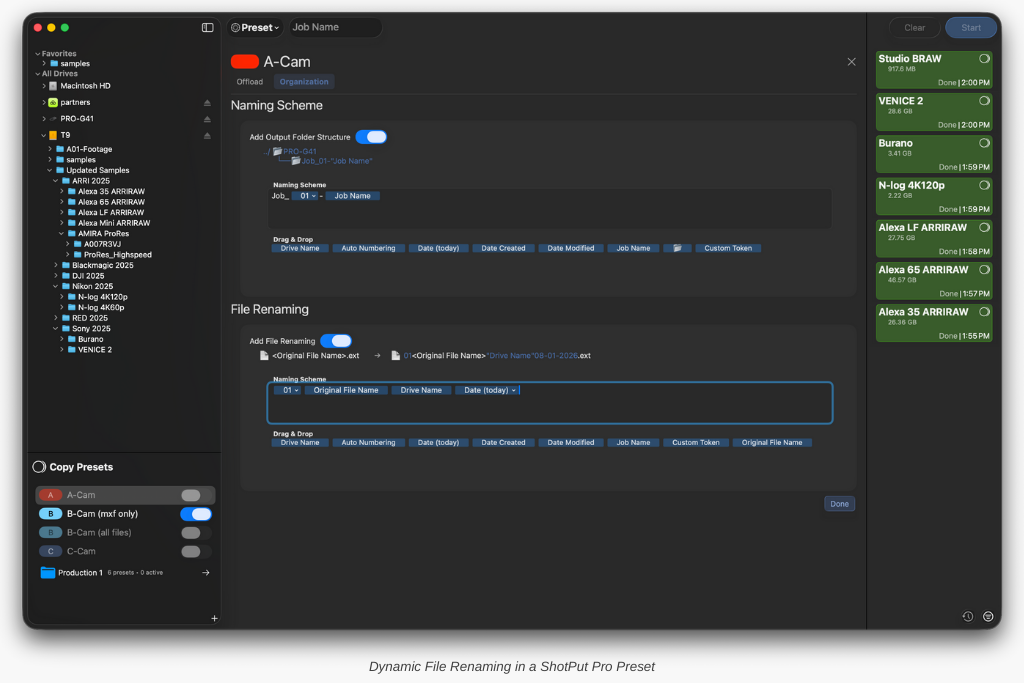
To support this flexibility, a new token called Original File Name has been introduced. This allows you to build custom renaming patterns while still preserving the original camera file name within them. Existing users will recognize many of the other available tokens, including date based tokens and Custom Tokens, which now work seamlessly for both folder structures and file renaming.
For example, a renaming pattern such as ProjectName_TodaysDate_OriginalFileName provides consistency while retaining traceability back to the source.
The preview panel above the renaming editor shows exactly how files will appear once output, helping ensure everything looks correct before a job runs.
The Role of ASC MHL Seals in File Renaming
To help maintain chain of custody and prevent files from being lost due to incorrect naming schemes, ASC MHL seals generated in ShotPut Pro and Studio now include <preIngestPath> with each file entry affected by Dynamic File Renaming.

A Familiar Approach to Folder Structure Customization
Custom folder structures remain a core part of ShotPut workflows and continue to work the same way in this release. You can drag tokens into your structure, add subfolders, type custom text anywhere, use autocomplete to insert tokens, and build unique paths to ensure existing structures are not overwritten.
What has changed is how naturally these tools now pair with dynamic file renaming, allowing both folder paths and file names to be built from the same consistent logic.
Native Frame.io Integration Improves Delivery (Studio Exclusive)
For ShotPut Studio 2.3 users, this release introduces a native Frame.io integration that brings cloud delivery directly into your existing workflows.
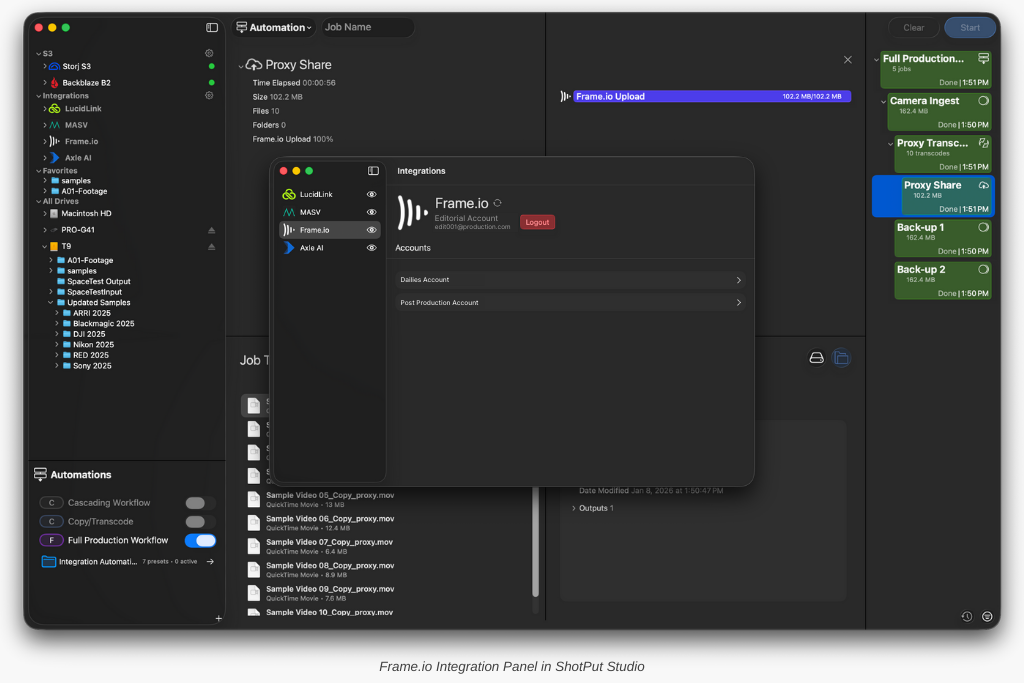
Once connected, ShotPut Studio automatically displays your Frame.io accounts, workspaces, projects, and project level subfolders. These locations become available as destinations across single jobs, Presets, and fully automated pipelines, making it easy to send camera originals, proxies, or deliverables to the cloud without switching tools or managing uploads separately.
Because Studio connects directly to your Frame.io hierarchy, handoff structures stay clean and consistent. When you use this integration in tandem with Studio’s Automation Pipelines proxy generation and cloud delivery begin as soon as a copy finishes, reducing turnaround time and eliminating extra steps.
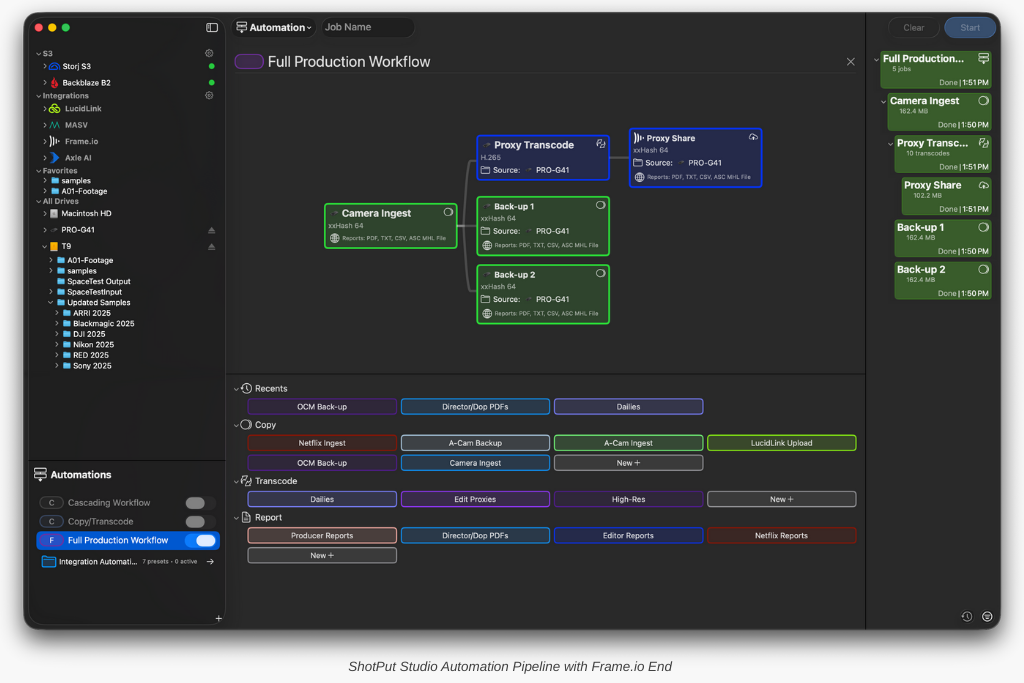
This is not just an upload feature. It is a tighter connection between ingest and review that keeps local, network, and cloud destinations organized in one place.
Faster MHL Workflows With Batch Processing (Studio Exclusive)
ShotPut Studio’s MHL tool allows you to create ASC MHL and MHL v1 seals, verify existing seals, and reseal previously sealed media. Prior to ShotPut Studio 2.3, these tasks could only be performed on one folder or file at a time.
With ShotPut Studio 2.3, MHL processing becomes fully batchable. You can now drag in any number of folders or jobs at once. Each MHL task queues automatically and runs sequentially, allowing large volumes of media to be processed without repeated setup or manual intervention.
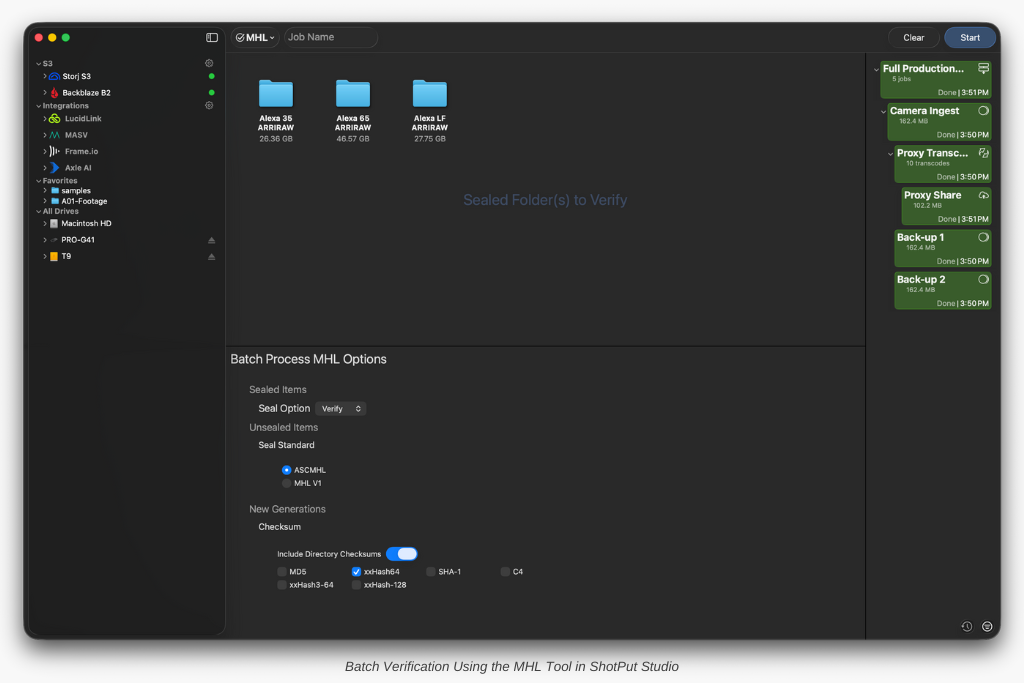
This is especially useful when verifying multiple deliveries before handoff, sealing batches of media for archive or long term storage, or resealing jobs that have already passed through editorial. Instead of adding and starting each folder individually, Studio now handles MHL work with the same predictable queue based behavior used for copy jobs.
For teams that rely on MHL as part of their integrity or security workflows, this change turns a repetitive task into a scalable, efficient process.
Try the New Features in ShotPut Pro 2026.1 and ShotPut Studio 2.3
Together, these updates make ShotPut Pro 2026.1 and ShotPut Studio 2.3 more powerful at ingest and more connected beyond it. From cleaner offloads and smarter organization to automated cloud delivery and improved verification workflows, the goal is the same: fewer gaps, fewer manual steps, and more standardized results.
Ready to give it a try? If your ShotPut license is active and under maintenance, the update is already waiting for you. Just open the app and select ‘Check for Updates.’
If your maintenance has expired, updating is easy. Log in to your account, navigate to View Licenses > Update, and choose either a one-time 12-month update plan ($70 for Pro | $120 for Studio) or enroll in automatic updates ($59/year for Pro | $99/year for Studio) to always stay current.