
As 2025 comes to a close, both ShotPut Pro and ShotPut Studio have seen meaningful updates designed to streamline workflows, increase efficiency, and provide even more control over media management. From enhanced reporting and drive management tools to deeper automation and connected workflows, this year’s improvements make it easier than ever for teams to verify, organize, and deliver media.
Both apps also added compatibility with macOS 26 Tahoe with Liquid Glass, as well as ARRICORE and Nikon .NEV support, ensuring that users can stay current with the latest hardware and camera formats.
Below is a look at the standout features of 2025, followed by a preview of what’s coming in 2026.
ShotPut Pro Mac: 2025 Highlights ⬇️
This year included numerous updates ensuring you’re prepared for new workflows and camera formats. On top of these updates, ShotPut Pro introduced several new features aimed at making media management faster, clearer, and more versatile.
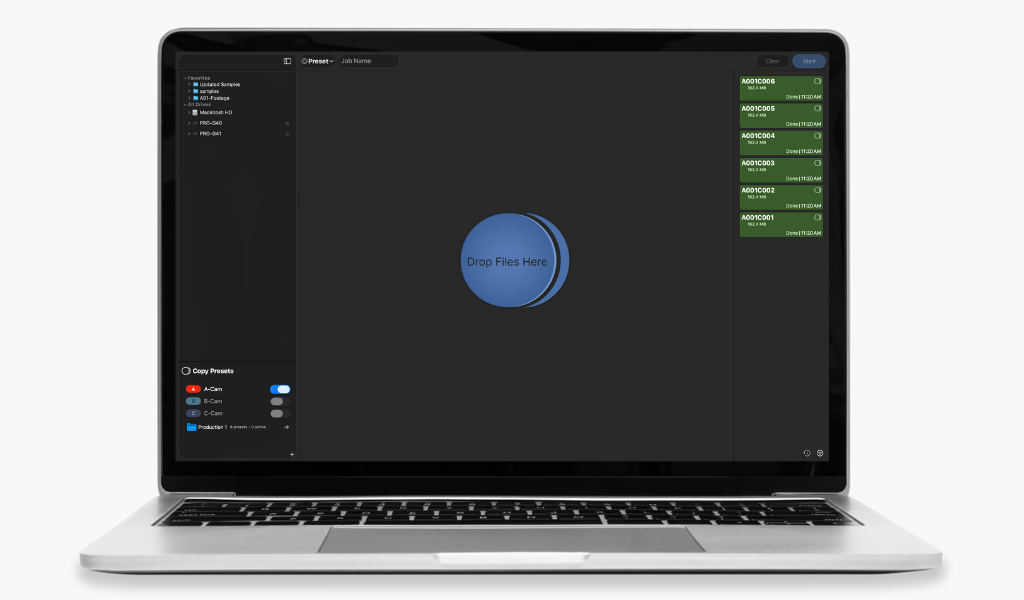
Drive Management Enhancements
Keeping hardware running smoothly is crucial on set, and the new drive management tools make it simple. In the Drive Details section, you can now:
-
Perform a speed test with verification to gauge expected transfer rates and identify potential issues before they impact your job
-
Take a drive index, a snapshot of everything stored on the drive, making large projects easier to catalog and organize
These additions ensure your drives are healthy and your workflow stays efficient.
Overhauled PDF Reports
The 2025 release of PDF Reports adds more customization and control than ever before:
-
Three new report layouts:
-
Thumbnail-focused: Perfect for visual overviews
-
Metadata-focused: Ideal for technical reviews
-
Table reports: Best for structured details
-
-
Summary page before the file-by-file breakdown, highlighting key metadata like resolution, camera formats, and file types
-
Thumbnail quality adjustments and optional LUT application for polished, professional visuals
-
Dark mode, accent color customization, and logo inclusion for a branded look
Reports can now carry your team’s identity while presenting media data clearly and professionally.
Preset Folders
Preset Folders allow you to group related Presets directly in your Presets List, keeping workflows organized and reducing clutter. This makes managing multiple presets across projects simpler and more intuitive.
Standalone Reporting Tool
With the new Standalone Reporting Tool, you can generate detailed PDF, TXT, or CSV reports for any file, folder, or volume without copying data first. This makes it easier for DITs, editors, and producers to check media before conform and produce clear documentation for deliveries.
ShotPut Studio: 2025 Highlights ⬇️
ShotPut Studio received all of the 2025 ShotPut Pro updates above, along with Studio-specific features focused on automation and connected workflows.
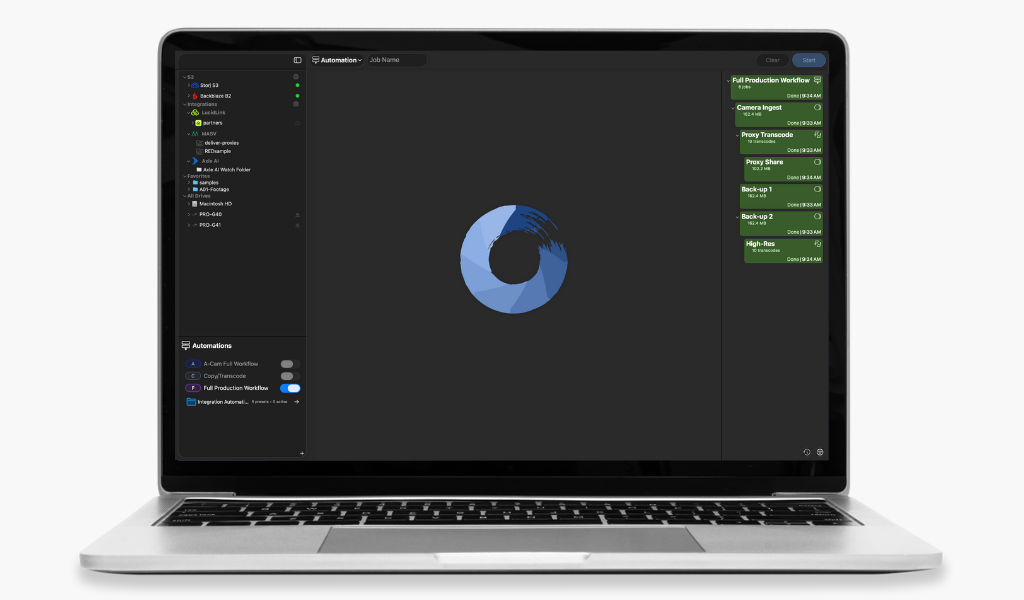
Automation Pipelines
Presets already let you create saved groups of settings for Copy, Transcode, and Report job types. In 2025, these were made substantially more powerful when we introduced Automation Pipelines allowing for:
-
Linking presets into a single, continuous flow
-
Improved visibility into each step of your workflow
-
Clearer job logs and history for troubleshooting or review
This streamlines repetitive on-set processes, helping DITs and editors spend less time on manual tasks and more time focused on creative work.
Expanded Cloud and Remote Integrations
New native integrations with MASV Portals, LucidLink, and Axle AI MAM provide additional flexibility for hybrid and remote workflows. Files can now move seamlessly to cloud storage or streaming solutions, keeping teams connected regardless of location.
Looking Ahead: What’s Coming in 2026 ⬇️
While 2025 focused on reliability, reporting, and automation, 2026 is shaping up to emphasize organization, control, and QC tools, with the first updates arriving in Q1. Below is a sneak preview of a few of the updates coming next year.
Coming to Both Apps

File Renaming (Q1 2026)
Preset-driven, token-based file renaming, including the original filename, will make it easier to standardize media naming across cameras, units, and projects. This feature is designed to improve organization and reduce manual file handling.
Name-Based Copy Filtering
Flexible file filtering lets you include or exclude files based on patterns like wildcards, starts-with, ends-with, or contains logic. This gives teams more precise control over what gets copied and verified on set.
ShotPut Studio Exclusives
Interested in upgrading to ShotPut Studio? Contact our support team and receive $100 off your license when trading in a perpetual license of ShotPut Pro.
Projects
Projects will be local-only organizational containers that help streamline workflows and improve organization when working across multiple productions.
Dailies Update
Studio will introduce a refined transcoding process resulting in huge performance improvements. Further updates will add a media player to the Transcode tool, along with:
-
Customizable framelines
-
Metadata burn-ins (auto-detected and user-entered)
-
Timecode-based audio/video sync
These updates strengthen Studio’s role as a one stop shop for media management.
Wrapping Up ⬇️
2025 was a year of meaningful enhancements to both ShotPut Pro and ShotPut Studio, delivering smarter reporting, stronger drive management, and automation that saves time on set. With file renaming, name-based filtering, Projects, and Dailies creation tools arriving in 2026, the year ahead promises even more ways to make media management faster, safer, and more organized.
Any feedback? Feature requests for the coming year? Send us your suggestions here.
ShotPut Pro and ShotPut Studio are registered trademarks of Imagine Products. MASV Portals is a registered trademark of MASV. LucidLink is a registered trademark of LucidLink. Axle AI MAM is a registered trademark of Axle AI.