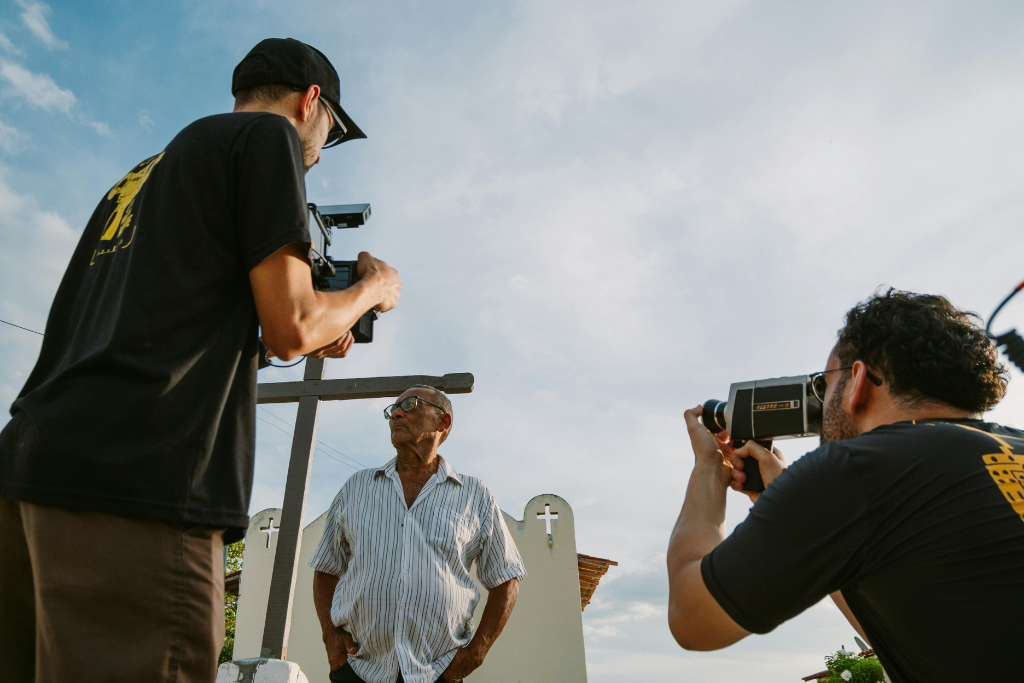
Not every production has a dedicated DIT. Many rely on an AC or camera operator to handle media management alongside their primary responsibilities. Despite limited resources, expectations remain high and footage must be backed up, organized, processed, and delivered quickly.
Manual workflows make this difficult to sustain.
Building the Workflow Before the Shoot
The key to success is preparation.
In one example, a DIT meets with production before the shoot to define requirements for:
- Secure offloads and backups
- Proxy generation for the edit team
- Consistent folder structures and naming
- Delivery to shared platforms like LucidLink, Frame.io, or Axle AI
Using ShotPut Studio, they then build a complete automation pipeline that includes all of these steps.
What Happens Once Production Starts
Once the shoot begins, the workflow is already in place. ShotPut Studio can be configured to automatically detect new media when a card or drive is connected. As soon as media is inserted:
- Offloads begin
- Files are verified
- Proxies are generated
- Deliveries are triggered
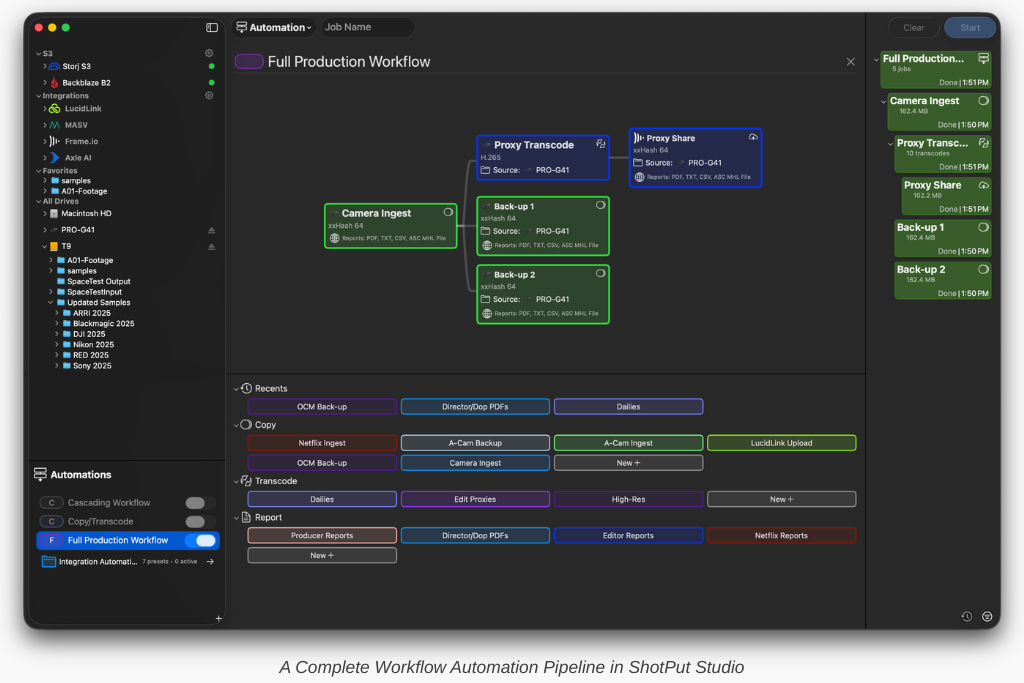
No manual start is required. This allows the operator to focus on supporting the crew instead of managing transfers.
A Second Example: Producer-Driven Workflow
In another scenario, a producer creates a simplified pipeline:
- Copy
- Transcode
- Deliver to Frame.io
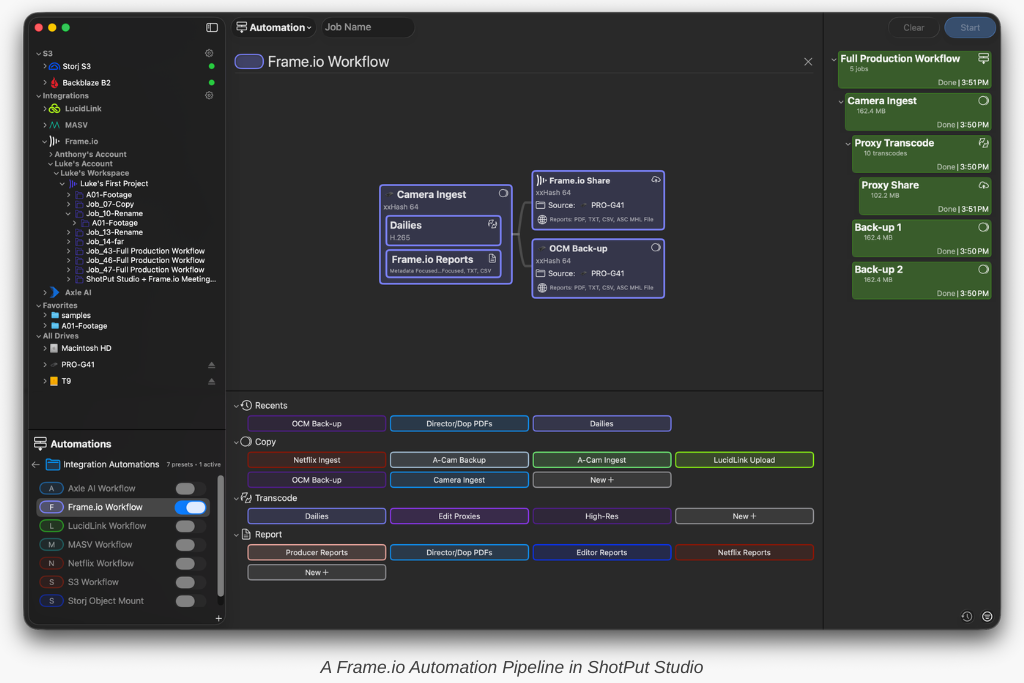
They hand this off to a media manager on set. Throughout the day, the producer monitors progress remotely through Slack notifications and reviews reports at the end of the day.
Scaling Professional Workflows
Automation allows small crews to operate with the consistency of larger productions.
Instead of relying on constant attention, the workflow runs reliably in the background. This reduces stress and ensures that nothing is missed.
FAQ
Can small crews use automated workflows?
Yes, automation is especially valuable for small teams because it reduces workload and ensures consistency.
Do you need a DIT to use ShotPut Studio?
No, workflows can be set up in advance and operated by crew members with minimal technical involvement.
How much does ShotPut Studio cost?
Perpetual licenses are available for a one time $299 cost. 30 day rental licenses can be purchased for $99.