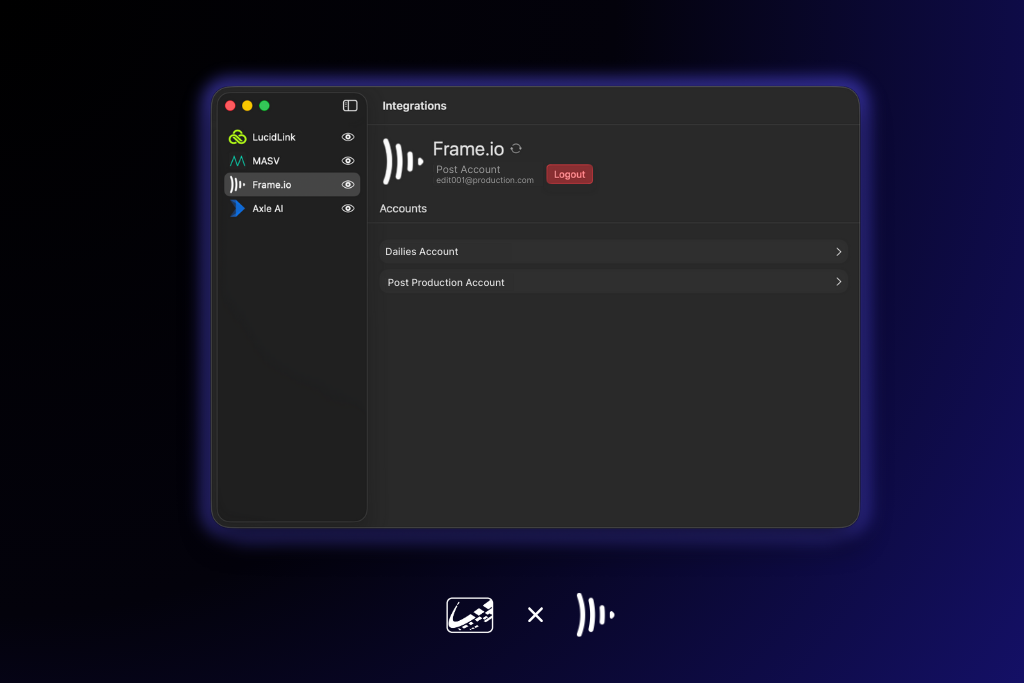
Cloud collaboration has become essential on set, and Frame.io sits at the center of that workflow for many productions. With this update, ShotPut Studio now offers a native Frame.io integration, making it easier than ever to move camera originals, proxies, and deliverables directly into the cloud as part of your existing Studio workflows.
Whether you’re a DIT handing off dailies, a post supervisor coordinating multiple teams, or a media manager building repeatable pipelines, this integration brings secure, predictable cloud delivery right into the tools you already use every day.
A Seamless Connection to Your Frame.io Projects
Once connected, Studio automatically displays all of your Frame.io accounts, workspaces, and projects, including project-level subfolders. This makes the entire structure available as a destination across job types, whether single jobs, Presets, or fully automated pipelines.
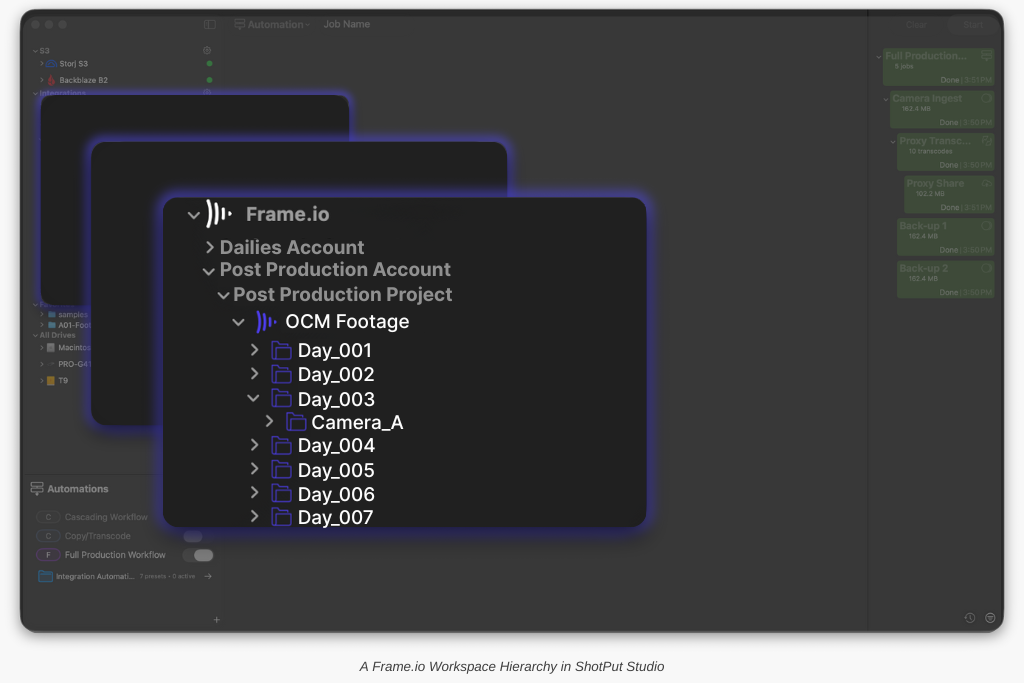
No more switching between systems or manually juggling cloud uploads. Studio taps directly into your Frame.io hierarchy so your handoff structure stays clean, consistent, and predictable.
Why This Matters for On-Set Media Workflows
Frame.io is an increasingly common endpoint for productions large and small. By integrating it natively, Studio brings several advantages:
-
Faster turnaround: Proxy generation and cloud delivery can begin as soon as your copy finishes with no extra steps.
-
Fewer handoff errors: Projects and folders come directly from Frame.io, removing manual folder creation and reducing naming inconsistencies.
-
Reliable automation: Automations can now push clips into predefined Frame.io project paths, ensuring dailies land exactly where remote teams expect them.
-
Better visibility: All connected Frame.io locations appear alongside your local and cloud destinations in Studio, keeping everything organized in one place.
Connecting Your Frame.io Account
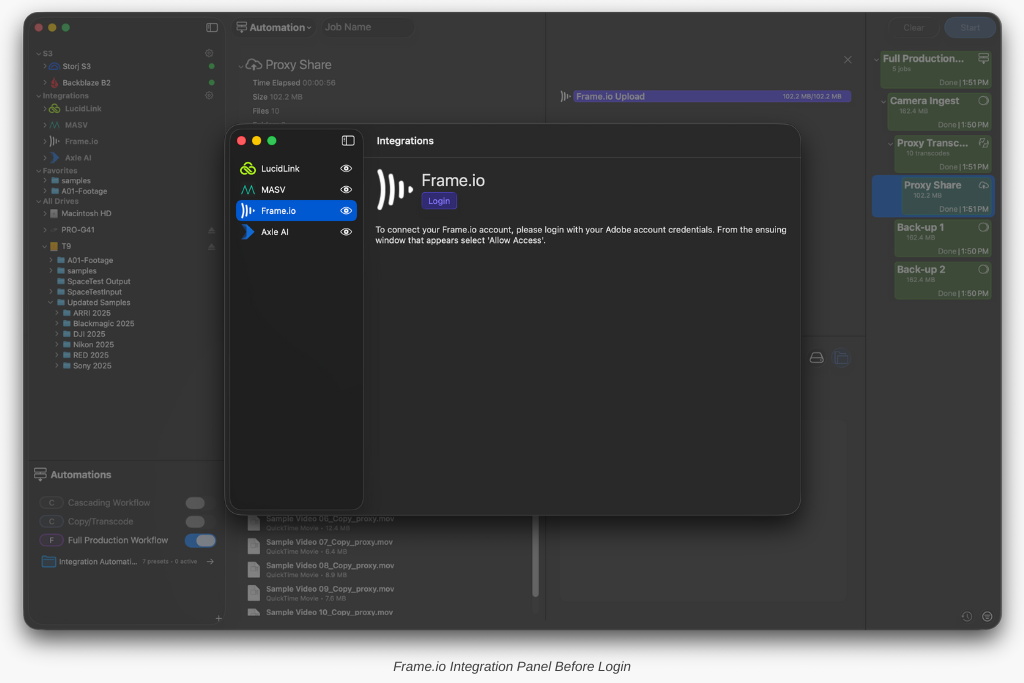
Getting started takes only a few seconds. From the Frame.io section of the Integrations page, select Login to open the Adobe sign-in. Log in using your Adobe credentials (Google/third-party logins are not supported), then click Allow access.
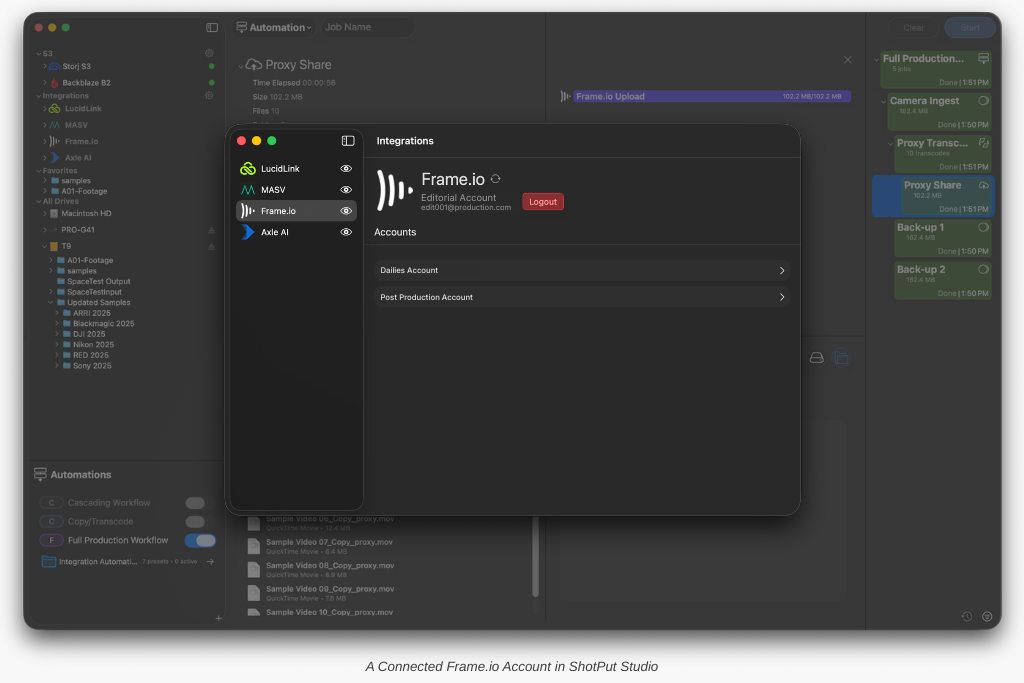
Once authenticated, your account automatically appears in Studio. Expand it to view your Workspaces, Projects, and any nested folders. You can drag and drop these locations into your jobs or Automations just like you would with LucidLink, MASV, or Axle AI.
And if you need to jump into Frame.io directly, each project includes a quick-access button to open it in your browser.
Build Better Pipelines With Frame.io
With Frame.io now part of the native integration lineup, Studio continues to bring more of the modern workflow into one connected system. Combined with your existing destinations (local, network, cloud, or partner integrations) you now have even more flexibility to build the pipeline that fits your production.
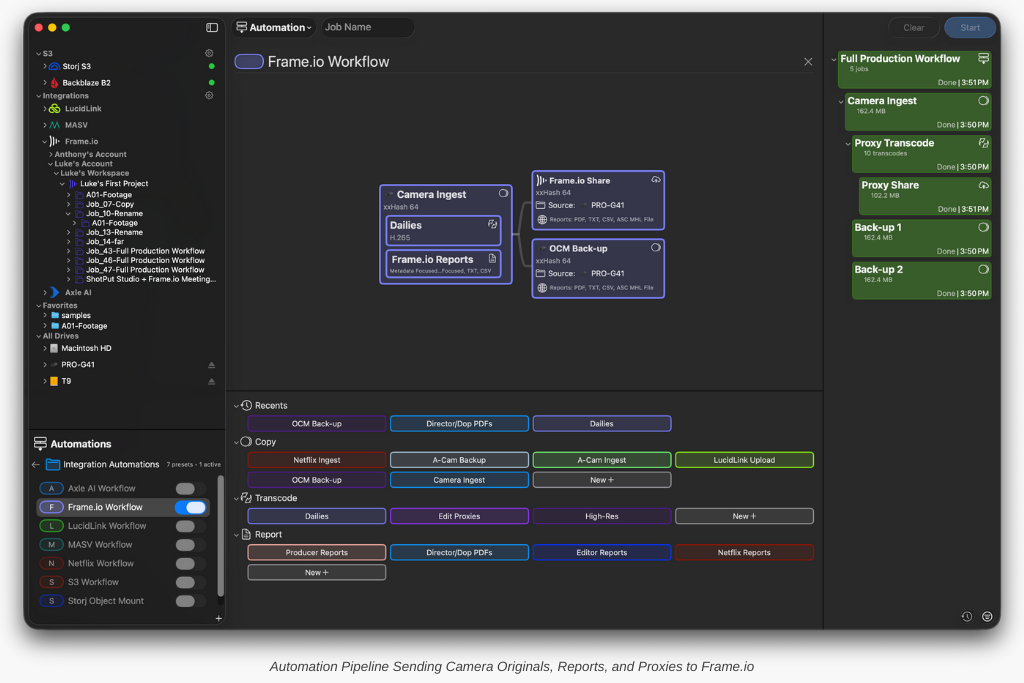
Whether it’s seamless dailies delivery, same-day client review, or a fully automated turnaround from set to editorial, Frame.io inside Studio helps make it happen.
Ready to give it a try? If your ShotPut Studio license is active and under maintenance, the update is already waiting for you. Just open the app and select ‘Check for Updates.’
If your maintenance has expired, updating is easy. Log in to your account, navigate to View Licenses > Update, and choose either a one-time 12-month update plan ($120 USD) or enroll in automatic updates ($99 USD/year) to always stay current.
Want to trade-in your license of ShotPut Pro? Email support@imagineproducts.com team to get started.