Managing media doesn’t stop at the copy. For many teams, the real challenge begins after footage is offloaded. Getting files into cloud platforms, making them accessible to remote collaborators, and knowing when those uploads are actually complete has traditionally required extra tools and a bit of guesswork.
With ShotPut Studio 2.3.7, that workflow becomes far more streamlined. This release introduces new integrations for cloud storage and MAM workflows, along with a major improvement to how uploads are handled and monitored. The result is a more complete, more transparent path from camera to cloud.
New Cloud Integrations: iCloud, Dropbox, and Google Drive
Cloud storage is a critical part of modern production workflows. Whether you are delivering proxies to editors or sharing footage with producers, platforms like Dropbox, Google Drive, and iCloud may already part of the process.
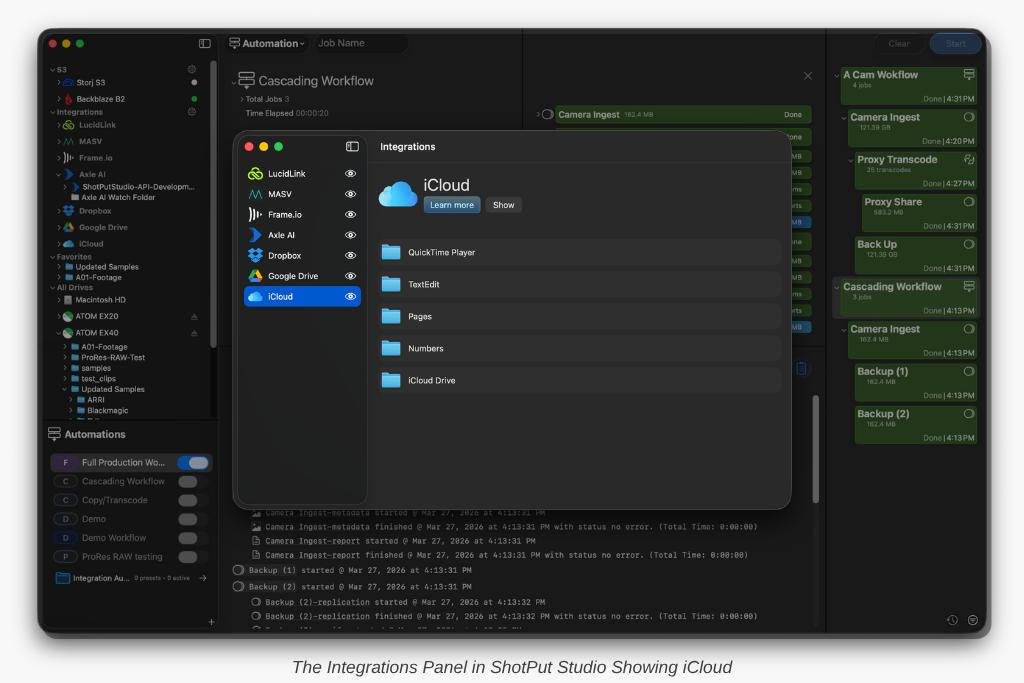
ShotPut Studio has always allowed you to copy to these destinations by mounting them through Finder, but that approach came with limitations.
From Finder Dependency to Native Workflow
Previously, working with cloud storage meant going outside of Studio in order to drag destinations in from Finder. With 2.3.7, these platforms are now accessible directly inside ShotPut Studio.
You can browse connected cloud volumes within the app and drag destinations directly into your jobs without switching. This makes the entire process more intuitive and significantly reduces friction during busy on-set moments.
Real Upload Monitoring, Not Just Local Copy
One of the biggest gaps in cloud workflows has always been visibility. In traditional setups, once files are copied to a mounted cloud folder, the job appears complete. In reality, the upload to the cloud is still happening in the background, often without any clear indication of progress.
End-to-End Visibility for Every File
ShotPut Studio now provides a clearer picture of what is happening at every stage of the process. Alongside local copy and verification, users can now see live upload progress to the cloud as it happens.
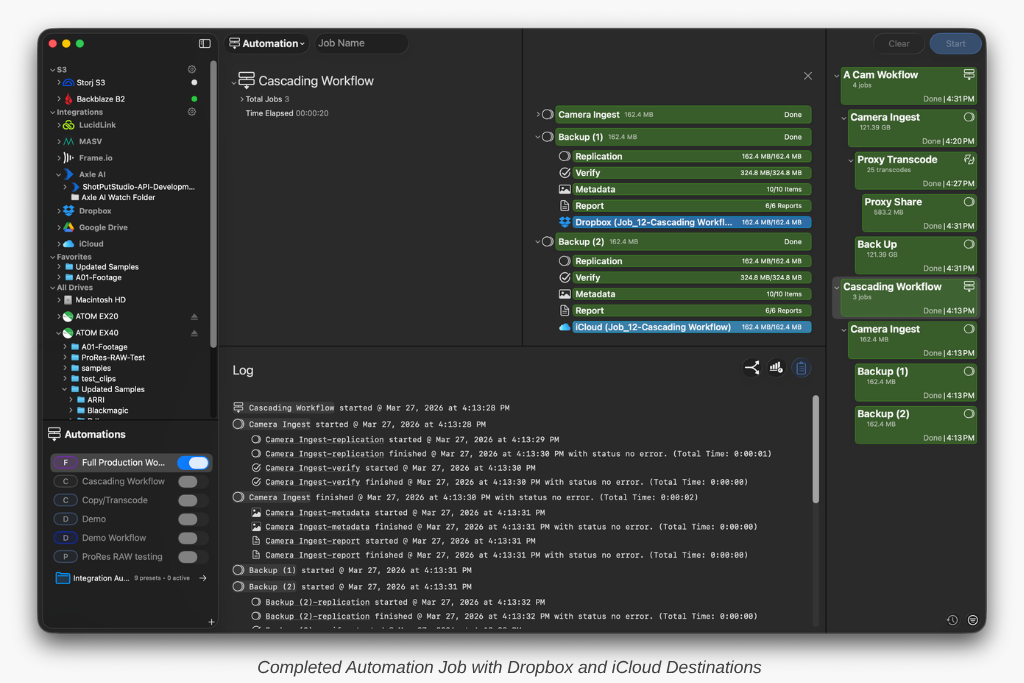
This is tracked on a per-file basis, which means you are no longer guessing whether files are still transferring or already available to your team. You can immediately spot slowdowns, confirm completion, and better understand how your delivery is progressing in real time.
Why This Matters for On-Set and Remote Workflows
These improvements directly address two of the most common frustrations in cloud-based workflows: the need to rely on Finder and the lack of visibility into actual upload progress. By bringing both access and monitoring into ShotPut Studio, the workflow becomes more centralized and easier to manage. Instead of juggling multiple tools, everything happens in one place, from ingest through delivery.
For DITs and smaller crews, this means less time spent managing transfers and more time focused on the shoot. For producers and post teams, it provides greater confidence that files are not just copied, but truly delivered and accessible.
New Integration: Axle AI Cloud
Alongside expanded cloud storage support, ShotPut Studio 2.3.7 introduces a new integration with Axle AI Cloud. This builds on existing support for Axle AI, but represents a different kind of workflow.
Direct Access to Cloud Workspaces
With Axle AI Cloud, users can log in directly from ShotPut Studio and view their available workspaces. These workspaces can then be selected as destinations within both copy jobs and automation pipelines.
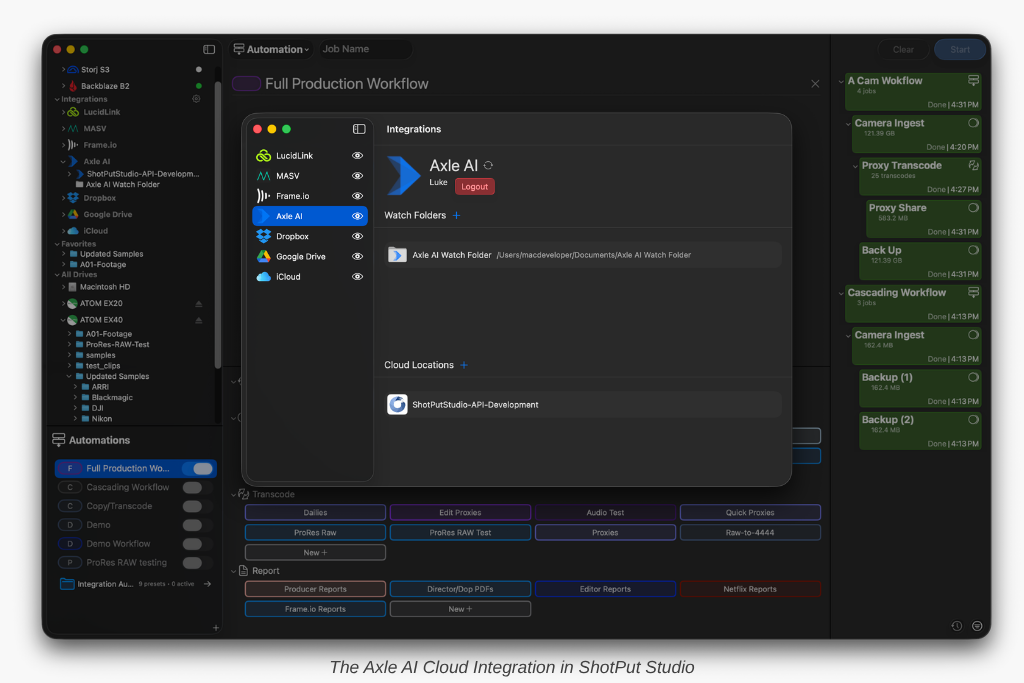
This removes the need for intermediary steps like watch folders and allows media to be delivered directly into a MAM environment as part of the overall workflow.
Designed for Upload and Collaboration
The integration is focused on getting media into Axle AI Cloud quickly and reliably. While it does not allow browsing into folder contents, it enables users to target workspaces directly and automate delivery based on their pipeline.
Depending on how the workflow is configured, teams can send original media, proxies, or both. This makes it easy to tailor delivery to the needs of editors, producers, or other collaborators working remotely. The result is a more connected workflow that supports modern, distributed production environments.
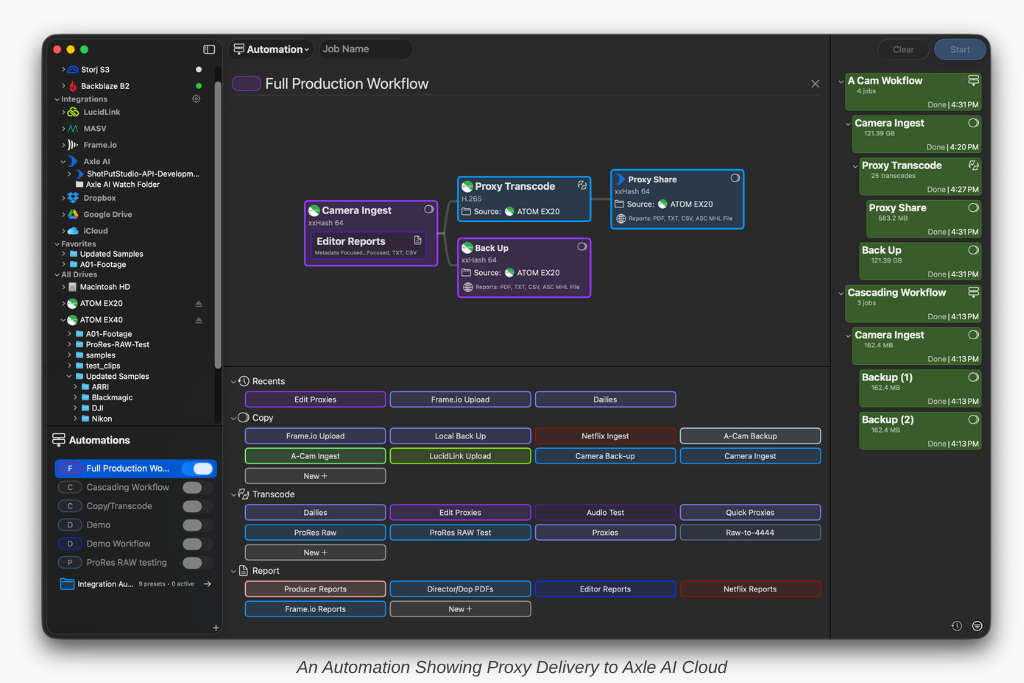
A More Connected Workflow from Ingest to Delivery
These updates make ShotPut Studio a more complete solution for today’s media workflows. The process no longer stops at offload and verification but extends through organization, transcoding, delivery, and now, true visibility into cloud uploads.
By keeping everything within a single application, Studio simplifies what has traditionally been a fragmented process.
Ready to give it a try? If your ShotPut Studio license is active and under maintenance, the update is already waiting for you. Just open the app and select ‘Check for Updates.’
If your maintenance has expired, updating is easy. Log in to your account, navigate to View Licenses > Update, and choose either a one-time 12-month update plan ($120 USD) or enroll in automatic updates ($99 USD/year) to always stay current.
Want to trade-in your license of ShotPut Pro? Email support@imagineproducts.com team to get started.