Even experienced teams encounter workflow issues. The problem is not lack of skill, but the reliance on manual processes that leave room for inconsistency and oversight. Automation helps eliminate these weak points.
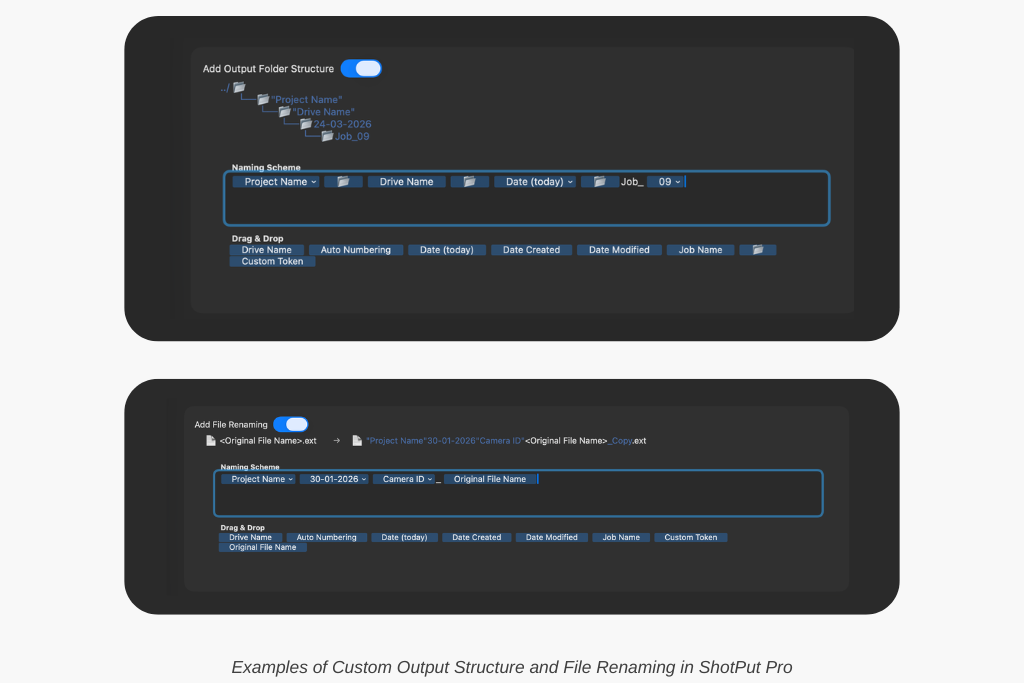
1. Inconsistent Naming and Folder Structures
Manual organization leads to small variations that can create confusion later. Automation ensures that every job follows the same structure and naming conventions.
2. Missed Deliveries
When delivery depends on manual action, it is easy to overlook. Automated delivery rules guarantee that files are always sent to the correct destinations.
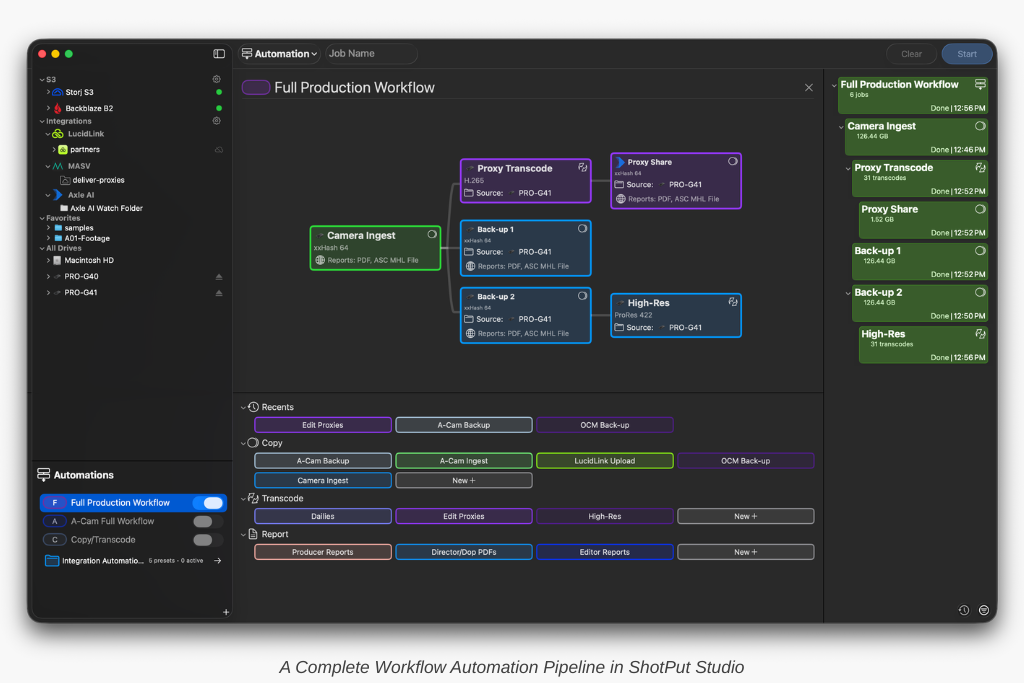
3. Using Multiple Disconnected Tools
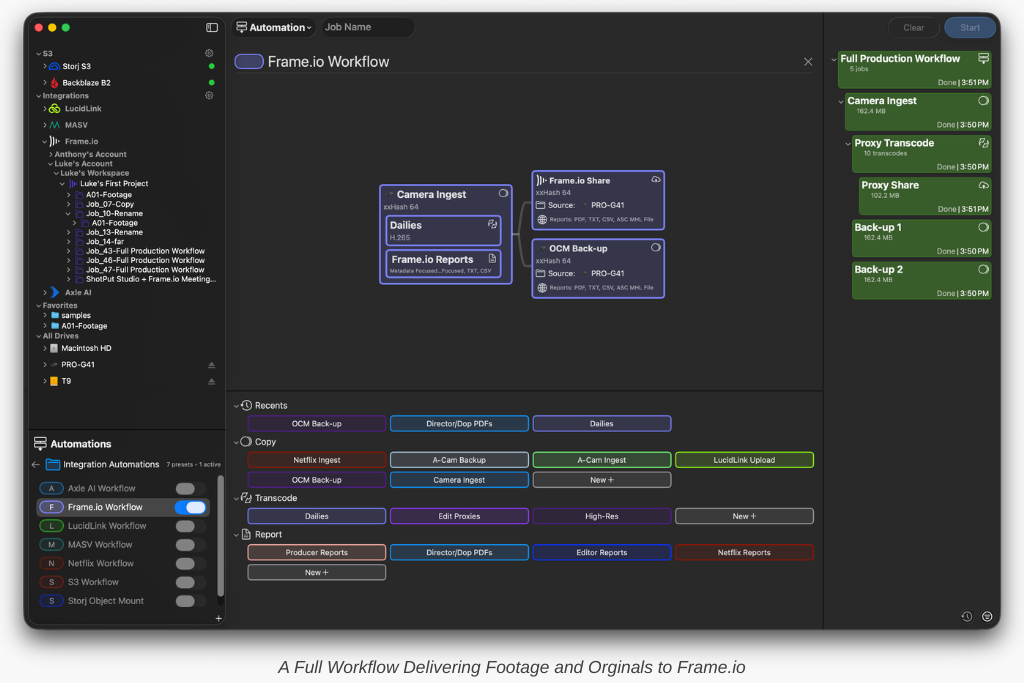
Switching between apps for offloading, transcoding, and uploading slows the workflow and increases complexity. A unified workflow simplifies the process and reduces errors.
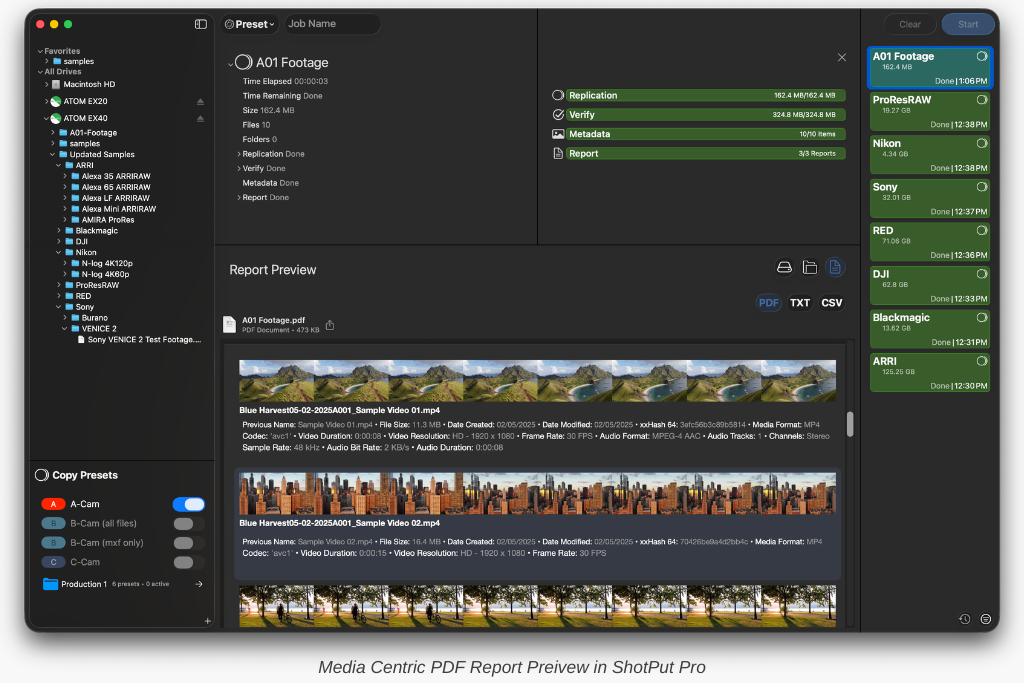
4. Lack of Reliable Reporting
Without consistent logs, it is difficult to verify what has been completed. ShotPut Studio can generate reports, including PDF and ASCMHL formats, providing a clear record of every transfer. These can even be branded for producers when needed.
5. Proxies That Do Not Match Editorial Needs
Editors often require specific formats, resolutions, or codecs. Automation allows teams to define these requirements in advance and generate the correct proxies every time.
Preventing Issues Before They Happen
Automation does not just fix problems. It prevents them. By standardizing the workflow, it ensures consistency across every job and reduces the need for manual intervention.
FAQ
What are dailies in film production?
Dailies are the footage shot during a production day, typically delivered to editors and producers for review.
How can you deliver dailies faster?
By automating proxy generation and cloud uploads during the ingest process instead of waiting until the end of the day.
How much does ShotPut Studio cost?
Perpetual licenses are available for a one time $299 cost. 30 day rental licenses can be purchased for $99.