
In many workflows, delivery is where things break down. Offloads may be verified and organized correctly, but getting that footage where it needs to go often involves manual uploads, last-minute decisions, or inconsistent processes. This is especially true when multiple deliverables are required, such as proxies for editorial and full-resolution files for archive. Managing this manually introduces risk and delays.
What Smart Delivery Rules Look Like
Smart delivery rules remove that uncertainty by defining exactly what happens to footage once it is processed. With ShotPut Studio, delivery becomes part of the workflow itself. Users can configure…
- Destination paths for different types of media
- Separate handling for proxies and original files
- Custom folder structures for each project
- File renaming rules to maintain consistency
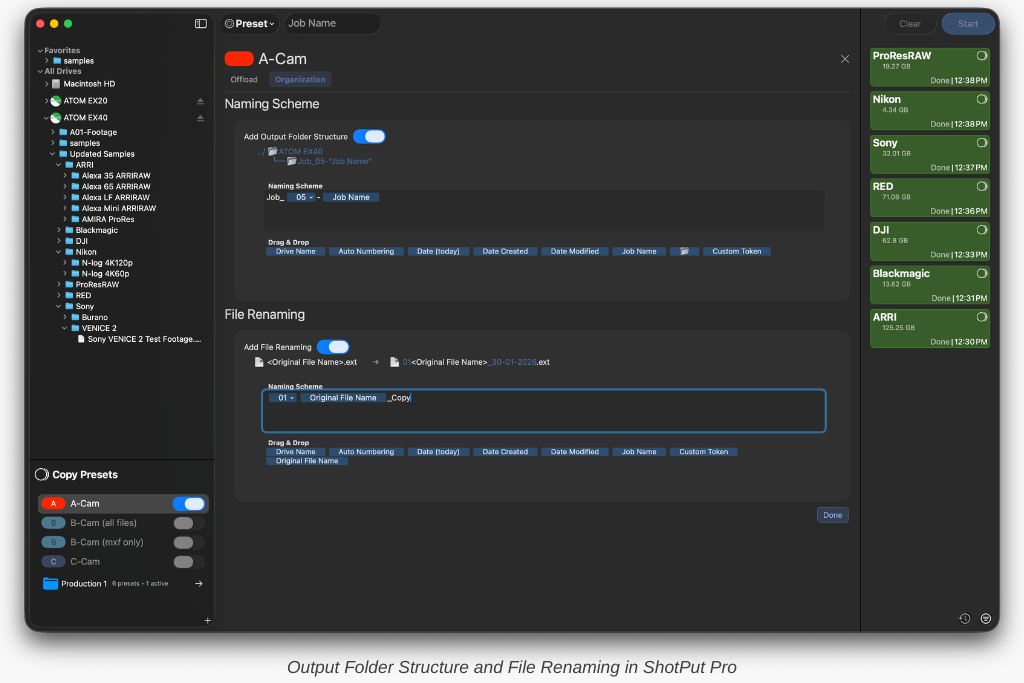
For example, a workflow might automatically:
- Upload proxies to Frame.io for editorial access
- Send original media to a local RAID and HDD
- Organize both outputs using predefined folder structures
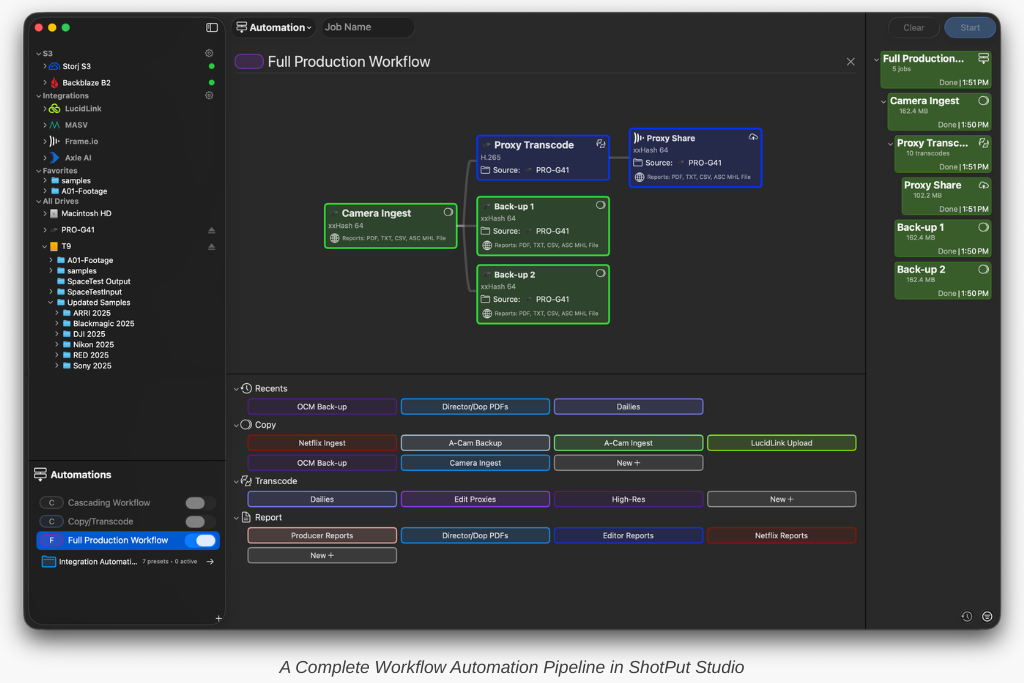
Working with Cloud Integrations
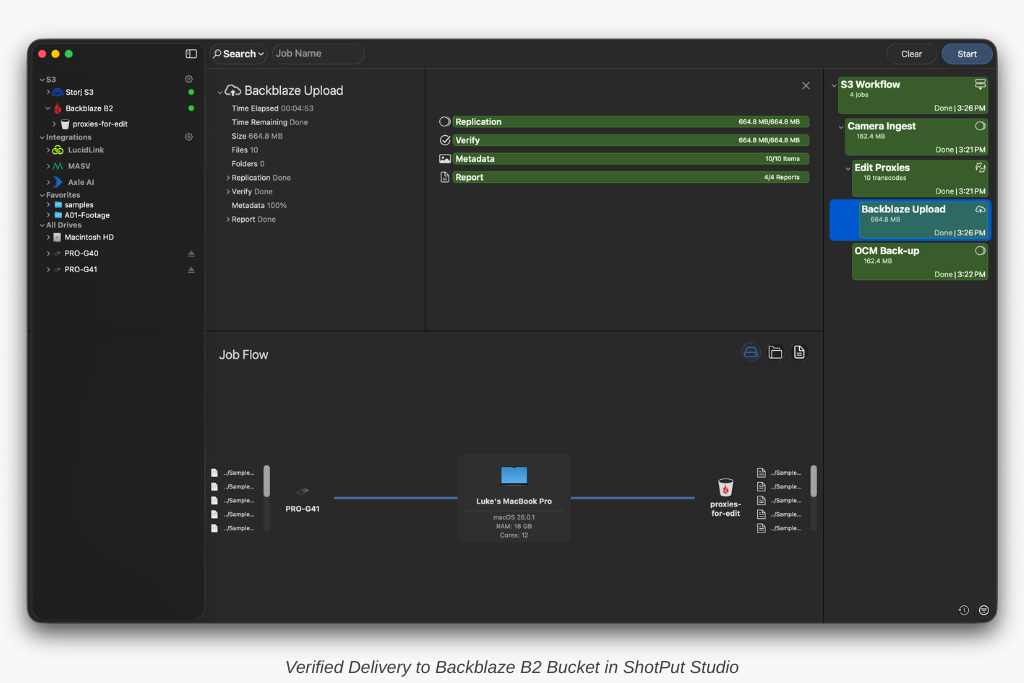
Cloud platforms like Dropbox, Google Drive, and iCloud and media focused options such as Frame.io, LucidLink, and Axle Ai play a growing role in modern workflows. In ShotPut Studio, these services appear as integrated destinations where users can view folder structures, monitor uploads in real time, and incorporate them into automated workflows.
With this workflow, files are uploaded as part of the process without requiring separate tools or manual intervention.
Understanding Delivery Constraints
There are some limitations to consider. Certain destinations, such as cloud integrations and S3 buckets, cannot always be combined in a single delivery action. However, workflows can still be structured to handle multiple outputs efficiently across different steps. The key is planning delivery rules ahead of time.
Consistency Across Every Shoot
Once configured, these rules apply to every job. This ensures…
- Consistent file organization
- Reliable delivery to all required destinations
- Reduced need for manual oversight
Instead of reacting to each shoot’s needs, teams can rely on a system that is already designed to handle them.
FAQ
What are delivery rules in media workflows?
Delivery rules define how and where files are sent after processing, including destinations, folder structures, and naming conventions.
Can you deliver to multiple destinations at once?
Yes, with some limitations depending on the destination type. Workflows can still be structured to handle multiple outputs.
How much does ShotPut Studio cost?
Perpetual licenses are available for a one time $299 cost. 30 day rental licenses can be purchased for $99.