Reliable storage is at the heart of every modern workflow. Whether you’re managing camera media on set, moving large project files, or simply backing up important data, you depend on your drives to perform consistently. But how often do you actually verify that performance?
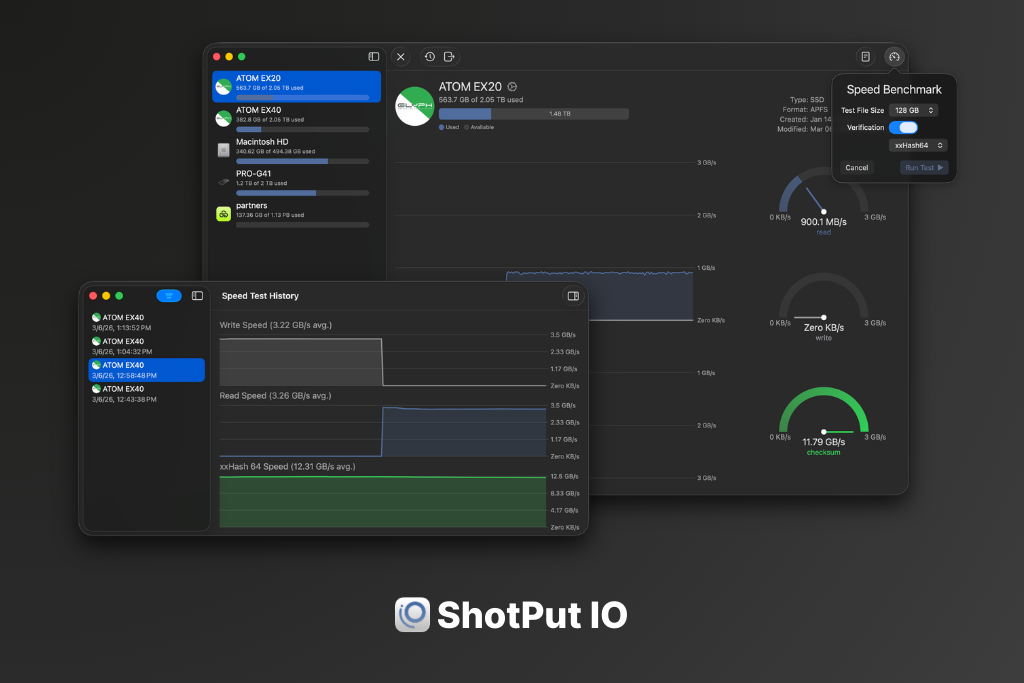
This is why we’re excited to introduce ShotPut IO, a brand-new tool designed to help you test, monitor, and document the performance of your storage devices. ShotPut IO makes it easy to run real-world speed benchmarks, track performance over time, and generate reports of what’s on your drives. Best of all, it’s completely free.
Why Drive Performance Matters
Not all drives perform the way their packaging claims. Manufacturer specifications often represent ideal conditions, not real-world workloads. Factors like drive age, connection type, fragmentation, and controller limitations can all impact performance.
For professionals working with large media files, these differences matter. Slow drives can delay transfers, create bottlenecks in workflows, or even indicate that a device is beginning to fail. That’s why testing your storage is important. A quick benchmark can confirm that a drive is performing as expected or help you identify problems before they become critical.
Simple, Real-World Speed Benchmarking
ShotPut IO allows you to benchmark the read and write performance of your drives with just a few clicks. When you run a test, the application writes and reads a test file to measure actual throughput. During the process, you can monitor your drive’s performance in real time and view the results as clear graphs and statistics once the test is complete.
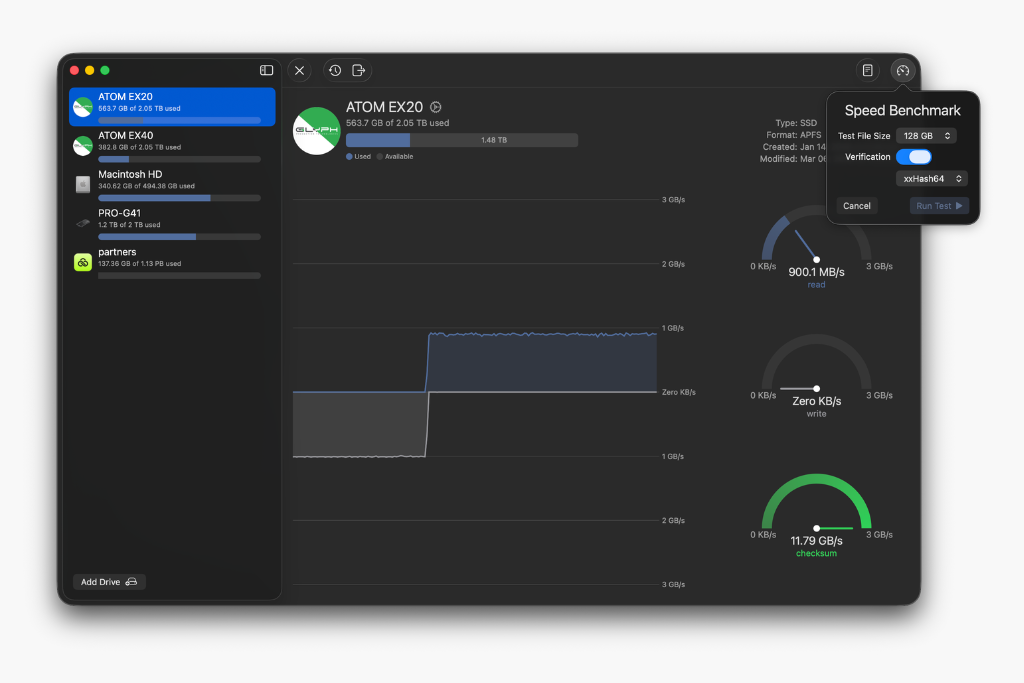
For users who want deeper insight, ShotPut IO can also include checksum verification as part of the benchmark. This provides additional visibility into how quickly verification processes perform on your storage. Tests are flexible as well. You can adjust parameters such as file size and IO settings to better simulate different workloads and better understand how your drives behave in different scenarios.
Track Performance Over Time
One benchmark is useful. A history of benchmarks is even better. ShotPut IO automatically saves the results of your speed tests so you can compare them over time. Historical data makes it easier to identify trends, verify consistency, or notice when a drive’s performance begins to degrade.
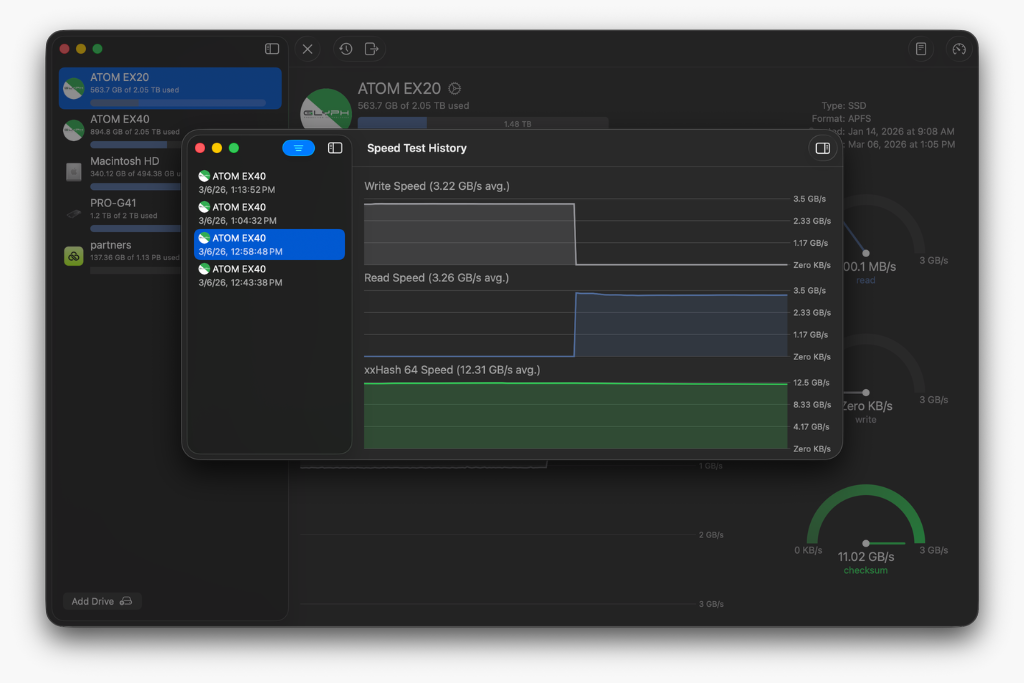
This kind of insight can be especially valuable for production teams, editors, and data managers who rely on consistent storage performance every day.
Generate Drive Index Reports
In addition to speed tests, ShotPut IO includes a built-in drive indexing feature. With a single action, the app can catalog the contents of a volume and generate a report listing all files and folders stored on the drive. These index reports are saved and shared as PDFs, making them useful for documentation, archiving, or verifying deliveries.
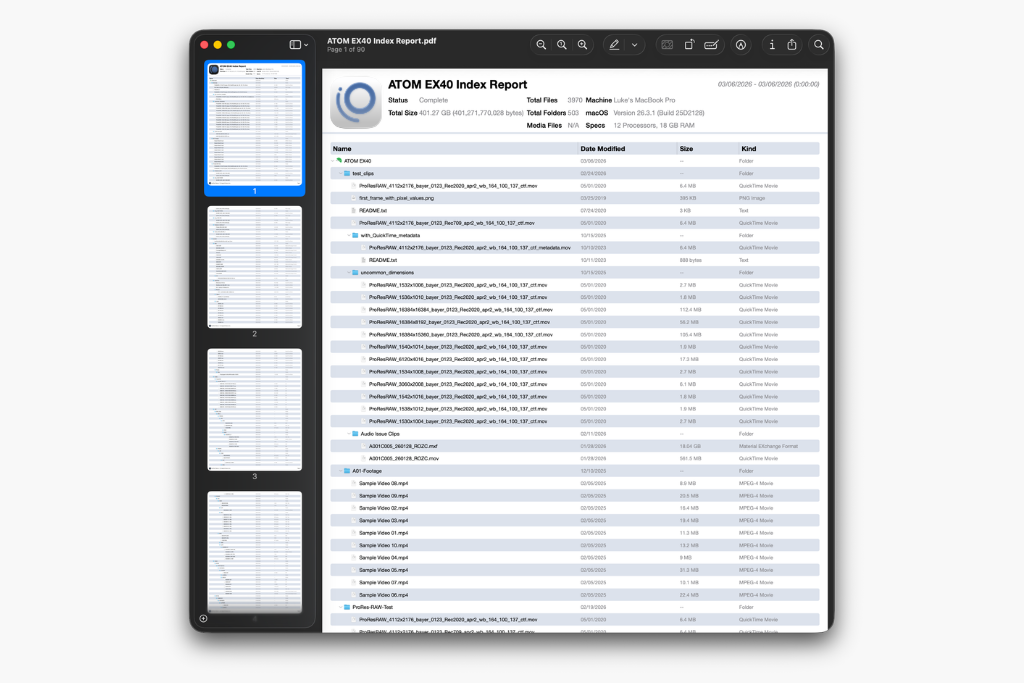
If you’ve ever needed a quick record of exactly what was on a drive at a specific moment, drive indexing provides a simple solution.
Built for Simplicity
ShotPut IO was designed to be straightforward and accessible. The interface presents a clear list of connected volumes along with available space, making it easy to select a drive and begin testing.
From there, tools for benchmarking, viewing test history, and creating index reports are just a click away. Whether you’re checking a single external drive or evaluating multiple storage devices, everything you need is built directly into the application.
Get Started
ShotPut IO is available as a free download with no limitations. There are no accounts to create, no personal information collected, and no in-app purchases. Simply download the app from the Mac App Store and start testing your drives.
If you want better visibility into your storage performance or a simple way to document the contents of your drives, ShotPut IO is ready to help. Download ShotPut IO today and see how your drives really perform.